

Docs Builder
Builder: Params
On this page
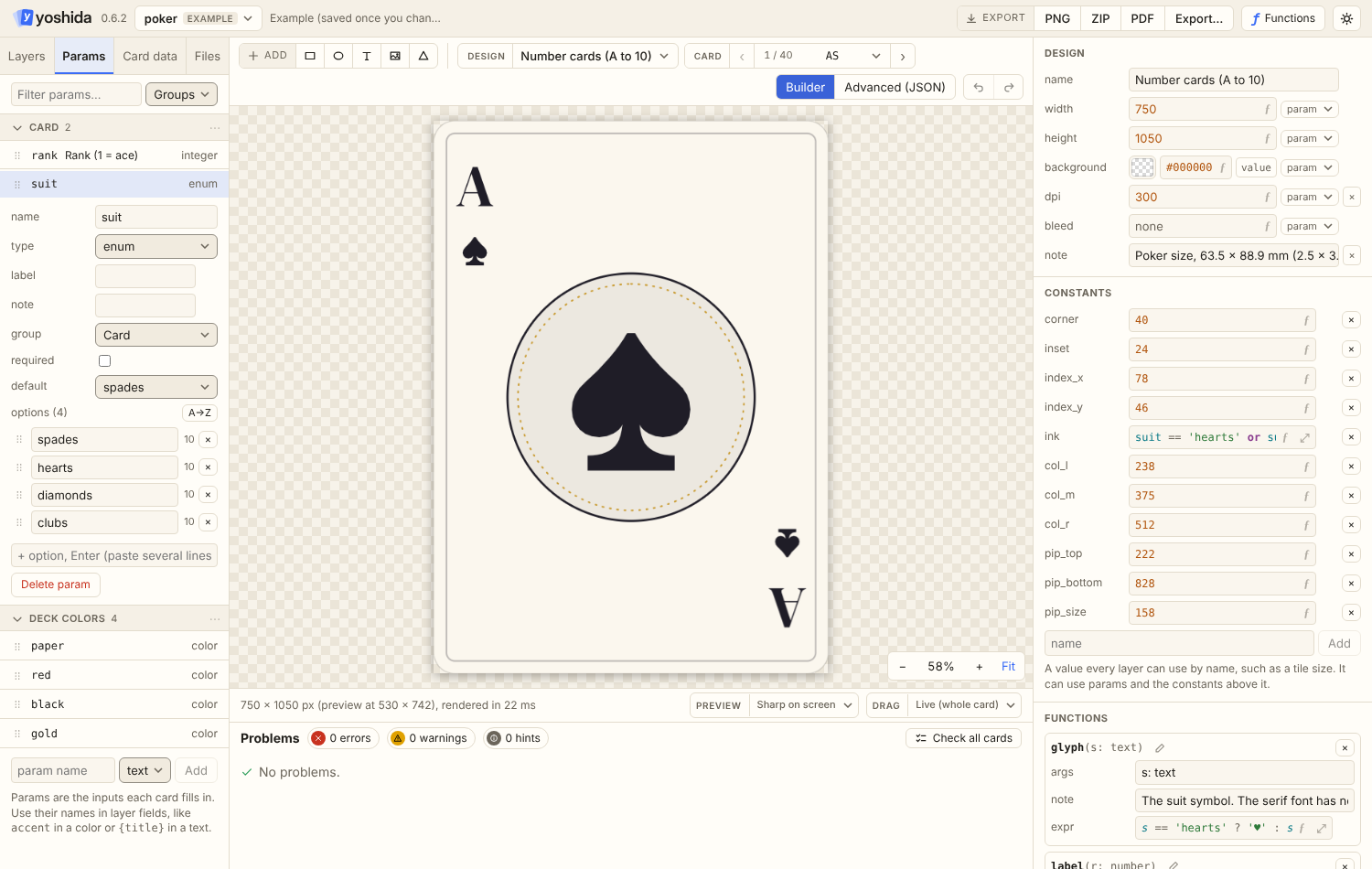
The Params tab edits the design's params.
Views
- Groups: sections by each param's
groupfield (folding, rename or ungroup from the section's ⋯ menu). Params without a group come first. - A to Z.
- Type.
- A filter box narrows the list.
Editing
- Drag a param to reorder the file (that order is the card form's order), or into another group.
- Add a param with the name box and type menu at the bottom; rename, retype and delete existing ones.
- Edit label, note, group, default, required, min/max, max_length and the item fields of list params.
- Renaming a param updates every layer field and every card file of the design in one undo step.
Enum options
Enum options are edited one per row:
- Enter adds a row; pasting several lines adds several.
- Drag to reorder; A→Z sorts.
- Each row shows how many cards use that option.
- Renaming an option also updates the default and every card that uses it (one undo step). If a param builds a file path such as
cards/{card_type}.png, the editor warns, because those files then need renaming.
List params
List params with item fields are edited as a table in the card form. Their item fields are edited in the param: name, type (text, number, integer, bool, color or enum), the options of an enum field (comma separated) and a default for items that leave the field out. See Params: item fields.